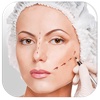
Virtual Plastic Surgery
by Rodrigo Dutra de Oliveira
v1.0
·
Updated 4 months ago
·
6.69 Mb
·
Released May 2016
Key Features
🖼️
Photo Editing
🤖
AI Powered
✨
Filters & Effects
💻
Code Editor
🖥️
Terminal / CLI
📧
Email Client
About Virtual Plastic Surgery
* Big SALE 50% for a LIMITED TIME. Grab it NOW! *
Virtual Plastic Surgery is a image editor that allows you to simulate the effects of a plastic surgery. You can change the size of your nose, for example, in just a few clicks.
You can also use it to deform images to create funny effects.
Features:
1. Stretch, expand and shrink your photos.
2. Preview and tune parameters with simple sliders.
3. Enhance the final result with adaptive filters.
4. Tune the Saturation, Brightness and Contrast.
5. Save in different formats: PNG, JPEG, TIFF and more.
How to use:
1. Open your photo.
Go to File > Open. Almost all images type allowed.
2. Use Radio and Scale sliders.
You can move your mouse on the photo to get a preview. Tune Radio and Scale sliders to get the desired effect.
3. Click or Click and drag to apply.
When you click the preview is applied.
4. Enhance your photo.
Check Auto Enhance, use the Saturation, Brightness and Contrast to tune your photos quality.
5. Save your photo.
Go to File > Save. You can save it in PNG, JPEG, TIFF and more.
***************************************************************
If you need help?
***************************************************************
Do you need help? Would you like to make a suggestion? Submit a request for a new feature?
Send an email to: ••• support@a7b.io
Your contact is very important. With it we can constantly improve our apps.